Handwritten / typed lists
Room labels on every page. Quantities. Brand/model when known. Condition notes. Clear photos or scans of lists.

Use this checklist so your first package is complete. Complete materials = faster 24–48 hour turnaround once intake is accepted.
Room labels on every page. Quantities. Brand/model when known. Condition notes. Clear photos or scans of lists.
Walk room-by-room. Speak slowly. Say the room name first. Note quantity, brand, model, age/condition when known.
Wide room shots first, then item clusters, then labels/serials for high-value goods. Number sequences help us stay ordered.
Many complete remote packages return in 24–48 hours after materials are accepted. Large multi-unit, total-loss forensic, or appraisal-panel files may take longer — we confirm timing at intake.
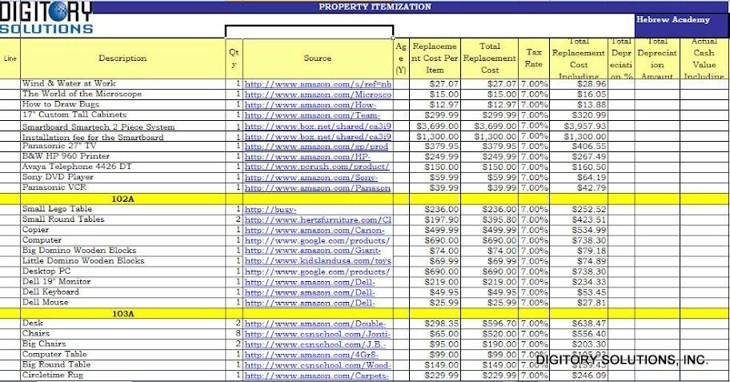
Redacted sample of a Digitory property itemization — line items, sources, RCV, and ACV.